
A step-by-step guide to creating your account on the UISH Online Digital Platform – app-uish.org.

Before you start
Registration takes about 10–15 minutes. Have these ready:
- An active email address that you use regularly
- Your identity card or passport – scanned as a PDF
- A formal ID photo – as a JPG
- Your diploma (or a notarised certificate of graduation) – as a PDF
- Your notarised transcript of grades – as a PDF
- Your CV – as a PDF
Registration in 11 steps
- Hapi 1
Search on Google
Type app-uish.org into Google or straight into your browser.
The Online Digital Platform opens.

- Hapi 2
Click “Anëtarësohu”
To start creating your profile on the Platform, click the “Anëtarësohu” (Join) button.

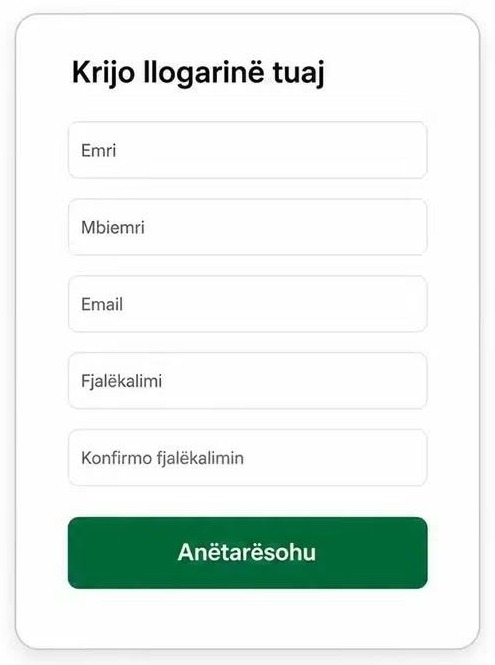
- Hapi 3
Enter your personal details
After clicking “Anëtarësohu”, you are asked for your personal details: fill in all required fields.
- Hapi 4
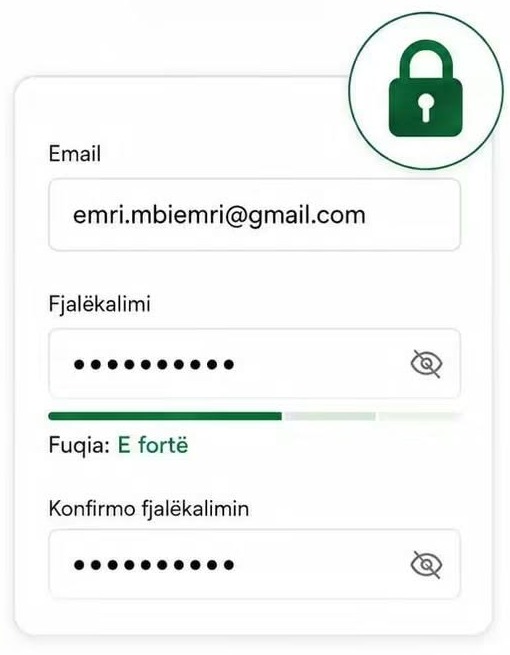
Enter your email and create a password
Enter an active email address that you use regularly, then create your password.
The password must have 8 or more characters, including at least one upper-case letter, one lower-case letter and numbers.
- Hapi 5
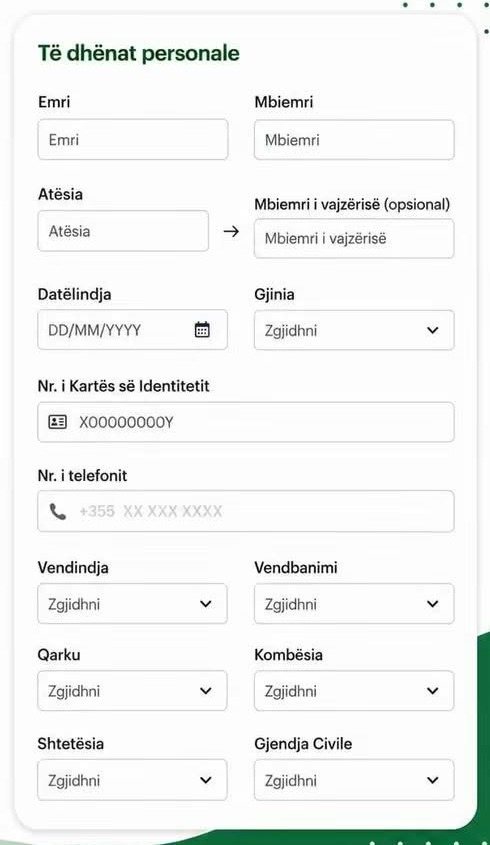
Fill in your personal details accurately
Fill in your personal details in the corresponding fields:
- First name, surname
- Father’s name
- Maiden name (optional)
- Date of birth, gender
- Identity card number (format: X00000000Y)
- Phone number (starting with +355)
- Place of birth, place of residence
- County, nationality, citizenship
- Hapi 6
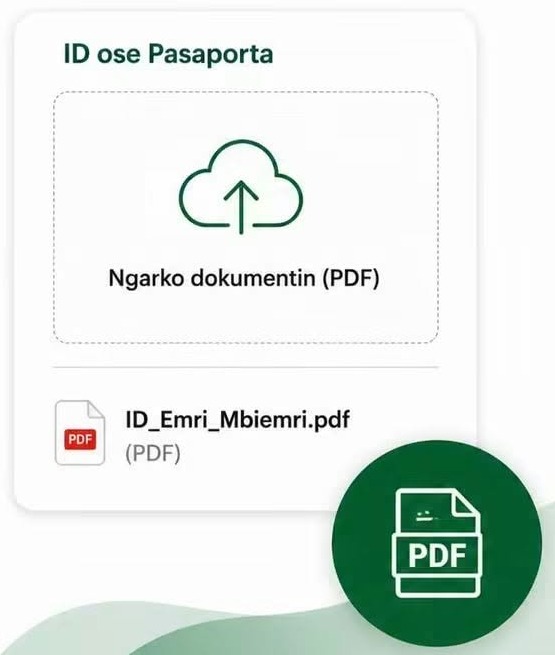
Upload your identity card or passport
In the “ID ose Pasaporta” (ID or passport) field, upload your identity card or passport as a PDF.
- Hapi 7
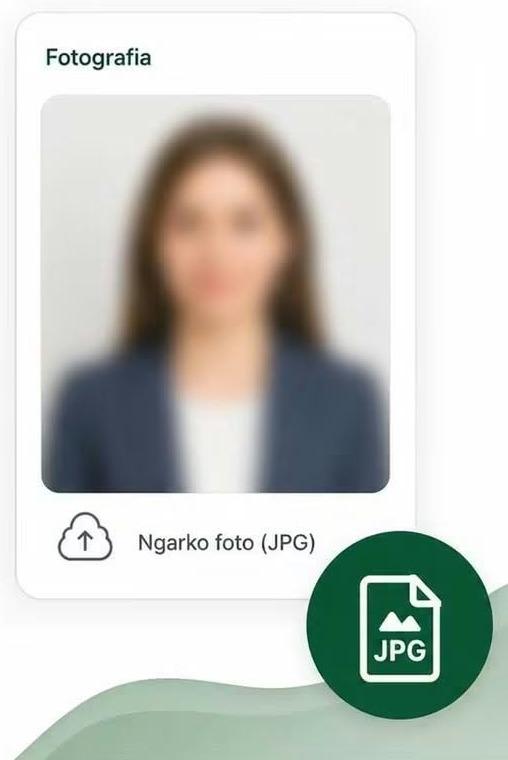
Upload your photo
In the “Fotografia” (photo) field, upload a personal photo with a suitable, formal appearance. This photo is later placed automatically on your licence.
The photo must be a JPG.
- Hapi 8
Confirm the declaration
Tick “Konfirmoj Deklaratën” (I confirm the declaration) to continue.

- Hapi 9
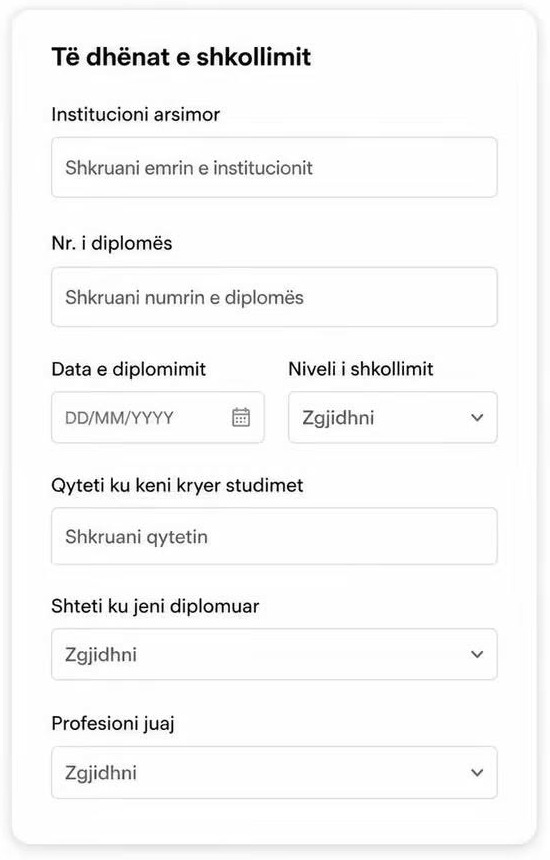
Enter your education details
Fill in the corresponding fields:
- Name of the educational institution
- Diploma number
- Graduation date
- Level of education
- City where you studied
- Country where you graduated
- Your profession
- Hapi 10
Upload the required documents
Upload in the corresponding fields:
- Your diploma (or, if you do not have it yet, a notarised certificate of graduation)
- Your notarised transcript of grades
- Your CV (Curriculum Vitae)

- Hapi 11
Check and complete your registration
Once every field is filled in, check once more that all details and required fields are correct. When you have finished checking, click “Vazhdo” (Continue).
Your profile is now created on the Online Digital Platform. You will also receive a welcome message by email and on the Platform.

You are now part of the Online Digital Platform!
Once your profile has been created, you can log in to the Platform with the email address and password you registered, and use its services and features.

What you can do next
- Professional practice – registering for the 3-month practice
- First-time licensing – after passing the State Examination
- Licence renewal – relicensing online
- Certificates for abroad – recognising your licence abroad